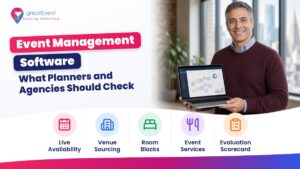
Quick answer: Event management software is the set of tools planners use to run an event from first idea to final report: registration and ticketing, venue sourcing and RFPs, hotel room blocks and housing, attendee apps, budgets, contacts and CRM, and virtual or hybrid delivery. Some platforms try to do all of it, and others do one job well. If your agency runs events for several clients, judge any tool on how it keeps each client’s data separate, who on your team can see and change what, whether you can brand it for the client, what it connects to, who owns the data when the contract ends, and how the price grows as you add events, users, or attendees. Test it on a real past event before you sign.
Example scenario (fictional): A five-person agency runs a sales kickoff for one corporate client, an annual conference for a trade association, and a few weekend tournaments for a youth sports club. Registration lives in one tool, venue quotes in email threads, room blocks in spreadsheets, and budgets in another set of spreadsheets. When the association asks for its attendee list after the conference, nobody is sure which export is current, and one file still holds a few names from the corporate client’s event. Before it buys anything else, the agency has to sort out which jobs each tool does, where each client’s data lives, and what it can hand back cleanly.
This guide is for US professional planners and agencies who plan events for clients: corporate meetings, conferences, association events, incentive trips, weddings, and sports team travel. It explains what event management software does, the main categories, how to evaluate tools for a multi-client agency workflow, a scorecard you can use in demos, and where greatEvent fits. We don’t rank products or name a “best” one, since the right fit depends on your clients and your events. Legal and compliance points here are planning information, not legal advice.
In this guide:
- What event management software does
- The main categories of event software
- One platform or several tools?
- What agencies need for multi-client work
- Pricing models and contract terms
- Evaluation scorecard
- How to run a demo and a trial
- How greatEvent works as event management software for planners
- Evaluation checklist
What does event management software do?
It moves the work of an event out of inboxes and spreadsheets and into one or more shared systems. The Events Industry Council’s APEX glossary gives a useful picture of the jobs involved. Registration covers the process by which a person indicates they will attend, a method of booking and payment, and “the process of recording data about an attendee (or exhibitor), sending a confirmation and creating a badge for use on-site.” A housing bureau is an “organisation that provides reservation services for a group and its attendees,” which is the room block side of the job. A hybrid meeting “combines face to face and virtual aspects.”
Software for these jobs does three things for a planner. It collects information once (an attendee, a venue quote, a room night) so you don’t retype it. It shows the current state of the event to everyone who needs it, from your team to the client. And it produces the records you need afterward: who came, what was spent, and what was booked. A tool that can’t do this for the jobs you actually run will add work to your week.
The main categories of event management software
Most products fit one or more of these categories. Use the table to map the jobs you do for clients, then look for tools that cover those jobs.
| Category | What it does | What to check for client work |
|---|---|---|
| Registration and ticketing | Event website or form, attendee types, fees and payments, confirmations, badges, check-in | Separate sites and payment settings per client, refunds, data export, total price shown for ticketed events |
| Venue sourcing and RFPs | Search venues and hotels, send requests for proposal, collect and compare quotes | Whether you see live availability or wait for replies, how quotes are compared, who can see client names |
| Room block and housing | Group hotel blocks, booking links, rooming lists, pickup reports | Pickup by night, cut-off date reminders, how attendee reservations are matched to the block |
| Attendee app | Agenda, maps, messages, networking, session check-in on a phone | Client branding, accessibility, who owns the contact data collected |
| Budgeting | Budget lines, quotes, actual costs, invoices, client approvals | Multiple currencies if needed, approvals, export to your accounting tool |
| CRM and contacts | Client and attendee records, history, email campaigns | Per-client separation, consent records, deletion on request |
| Virtual and hybrid | Streaming, on-demand video, online attendee engagement | Captioning, time zones, how online and in-person attendees are counted |
Two rules affect the registration row. If you sell tickets, the FTC’s Rule on Unfair or Deceptive Fees (16 CFR Part 464) covers live-event tickets and requires businesses that advertise a price to show “the total price” clearly, including mandatory fees, so check that the registration tool can display the full price from the first screen. If attendees pay by card, the PCI Security Standards Council says PCI DSS applies to “entities that store, process, or transmit cardholder data,” including merchants and service providers. Ask any registration vendor how card data is handled and what that leaves for your agency to manage.

One platform or several tools?
An all-in-one platform gives you one login, one attendee record, and fewer exports. Separate tools let you pick the strongest option for each job and swap one out without moving everything. Which way to go depends on your client mix. Questions to work through:
- Which two or three jobs take the most hours across your clients today? Start there.
- Do your clients already use their own registration or CRM tools that you have to work inside?
- How often do you need data from one job in another, such as registrations feeding a rooming list?
- Who on your team will run each tool, and how much training time do you have?
If you go with separate tools, write down where each piece of client data starts and where it ends up. That map becomes your integration list for demos.
What agencies need from event software for multi-client work
Most software is sold with a single organization in mind. An agency is several organizations at once, with staff who move between them. These are the areas to test.
Client data separation
Each client’s attendees, budgets, contracts, and reports should sit in their own space, and a search in one shouldn’t surface another client’s records. Ask how the vendor separates accounts, whether you can create a new client space yourself, and what happens to a client space when the engagement ends. If you work with California attendees or clients, the state’s CCPA guidance describes rights such as the right to know and the right to delete personal information, and says businesses must respond to these requests. Your tool needs to find and remove one person’s data without touching other clients.
User roles and permissions
You want to give a junior coordinator access to one client’s event, give the client a view of their own reports, and keep finance details to the people who need them. Ask for a list of roles, whether you can limit a user to one client or one event, and whether there is a log of who changed what. Remove a test user during the trial and confirm their access really ends.
White-label and client branding
Many clients expect registration pages, emails, and apps to carry their own brand. Check whether you can set a logo, colors, sender name, and custom domain for each client, and whether the vendor’s name still appears anywhere attendees will see it.
Accessibility
Registration pages and attendee apps should work for people with disabilities. W3C publishes the Web Content Accessibility Guidelines (WCAG), the standard most vendors measure against. For public universities, cities, and other state and local government clients, the Justice Department’s ADA web and mobile app rule sets WCAG 2.1 Level AA as the technical standard, with compliance dates extended to April 26, 2027, for larger entities and April 26, 2028, for smaller ones and special districts. Ask vendors which WCAG version and level they test against and for a recent accessibility report.
Integrations
List the systems each client already uses: CRM, email marketing, accounting, single sign-on, travel booking. For each one, ask whether the connection is built in, needs a third-party connector, or needs custom work, and who maintains it. A connection that only exports a file once a day is different from one that updates in real time, so ask how often data moves.
Data ownership and exit
Read who owns attendee and client data in the contract, and how you get it out. Ask for a full export in a common format during the trial, including registrations, payments, and room block pickup. Also ask how long the vendor keeps data after you cancel and how it confirms deletion. For security, many vendors can share an independent report on their controls. The AICPA describes System and Organization Controls (SOC) reports as services CPAs provide “in connection with system-level controls of a service organization.” Ask whether one exists and what period it covers.
Pricing models and contract terms
Event software is priced in a few common ways, and for an agency the model can matter more than the headline number, because your volume changes from month to month.
| Pricing model | How it works | What to ask |
|---|---|---|
| Per registration or per ticket | A fee for each attendee or each ticket sold | Who pays it (client, attendee, or agency), and whether free registrations are charged |
| Per event | A fee for each event you run | What counts as one event, and whether a multi-day or multi-city series counts as one |
| Per user or seat | A monthly or annual fee for each staff login | Whether client viewers and freelancers need paid seats |
| Annual platform license | A yearly fee for a set package, often with limits on events or attendees | What happens when you go over a limit, and whether unused capacity rolls over |
| Modules and add-ons | Extra fees for features such as apps, housing, or streaming | Which features your scorecard needs are in the base price |
| Free to planners | The planner pays nothing, and the platform is paid by suppliers or through commission on bookings | What the planner can book, how commission works, and what is disclosed to the client |
Before you sign, check the contract length, auto-renewal and notice dates, price increases at renewal, minimums, service levels and support hours, and what happens to your data if you leave. Software cost is part of your agency’s overhead, so factor it into pricing your event planning services and into the numbers clients compare when they look at what event planners charge.
Evaluation scorecard for event management software
Give each criterion a weight from 1 to 3 based on how much it matters to your clients, then score each product from 1 to 5 in the demo and trial. Multiply weight by score and add the rows. Write the evidence you saw next to each score, so the total rests on what you saw.
| Criterion | Questions to ask | Evidence to ask for | Weight (1-3) | Score (1-5) |
|---|---|---|---|---|
| Jobs covered | Which of our jobs does it do: registration, sourcing, room blocks, app, budget, CRM, hybrid? | A live walkthrough using one of our past events | ||
| Client separation | How are client accounts kept apart? Can we add and close a client ourselves? | Two test client spaces in the trial | ||
| Roles and permissions | Can we limit users to one client or event? Is there an activity log? | Role list and a log screenshot | ||
| Client branding | Logo, colors, sender name, and domain per client? | A branded test registration page | ||
| Integrations | Which of our and our clients’ systems connect, and how often does data sync? | Integration list and a test sync | ||
| Data ownership and export | Who owns the data? Can we export everything, anytime? | Contract clause and a full test export | ||
| Security and privacy | Independent controls report? How are deletion requests handled? | Report summary, privacy terms | ||
| Accessibility | Which WCAG version and level? Any recent testing? | Accessibility report | ||
| Pricing fit | What does a heavy month and a light month cost us? | Written quote for both | ||
| Contract terms | Length, renewal, increases, exit, support hours? | Draft contract | ||
| Support and training | Who helps on event day, and how fast? | Support terms and a reference from an agency |
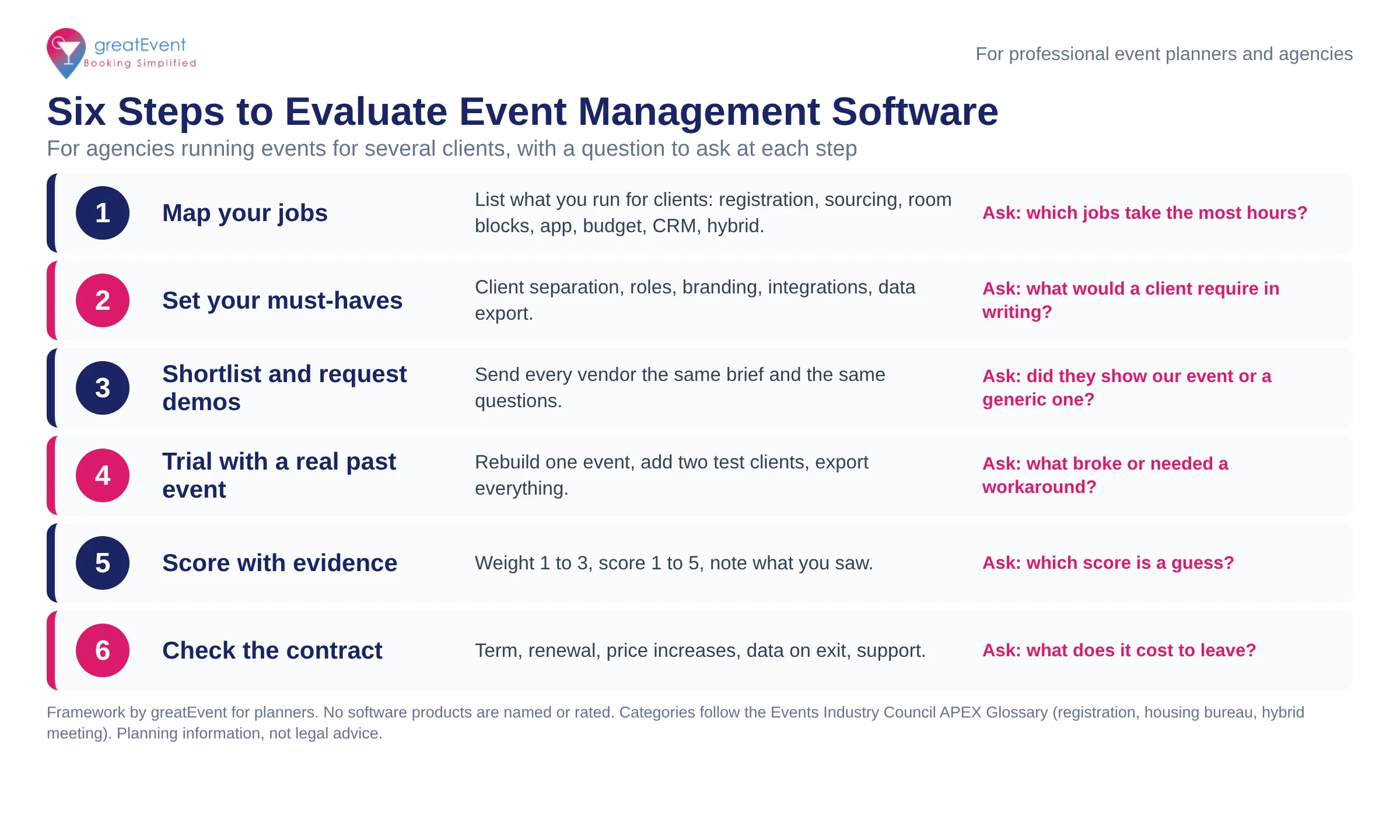
Text version of the infographic:
- Map your jobs. List what you run for clients: registration, sourcing, room blocks, app, budget, CRM, hybrid. Ask: which jobs take the most hours?
- Set your must-haves. Client separation, roles, branding, integrations, data export. Ask: what would a client require in writing?
- Shortlist and request demos. Send every vendor the same brief and the same questions. Ask: did they show our event or a generic one?
- Trial with a real past event. Rebuild one event, add two test clients, export everything. Ask: what broke or needed a workaround?
- Score with evidence. Weight 1 to 3, score 1 to 5, note what you saw. Ask: which score is a guess?
- Check the contract. Term, renewal, price increases, data on exit, support. Ask: what does it cost to leave?
How to run a demo and a trial
Vendors tend to demo their best screens, so bring your own event and ask them to work through it.
- Pick one completed event and gather its brief, attendee list (with test data in place of real names), venue quotes, room block, and budget. If you use a standard intake form, the event brief template gives every vendor the same facts.
- Send the brief and your scorecard questions to each vendor before the demo, and ask them to build that event in their product.
- In the trial, set up two client spaces, add users with different roles, and check that each sees only what they should.
- Run the full flow: registration with a paid ticket, a room block booking, a budget change, and a client report.
- Export everything and open the files. Check that you could move this event to another tool if you had to.
- Ask for the reports you send clients after events. If you report on outcomes, see how to turn software data into event ROI reports for clients.
- Call one reference from an agency with a client mix like yours, and ask what they would check if they were choosing again.
How greatEvent works as event management software for planners
greatEvent covers the booking side of event management: venues, meeting space, hotel room blocks, and event services, with live availability. It connects planners, venues, and service providers on one platform. The sections below describe what a planner working on client events can do, based on greatEvent’s own pages.
Venue sourcing with live availability
You search by event type, location, date and guest count, duration, and distance, and the results show venues, services, and hotel room blocks with live availability across hotels, convention centers, and venues. You can compare meeting room capacities side by side. From there you can book real-time availability, or send one detailed inquiry to multiple venues and get quotes back. greatEvent’s real-time venue inventory, with filters for date and capacity, is covered by U.S. Patent No. 11,763,222 B2. For how this changes booking timelines, see how long it takes to book an event venue.
Hotel room blocks and services in the same booking
Once you choose a venue, the booking flow guides you through reserving group rooms. You can add services such as caterers, photographers, videographers, entertainment, and florists, then finalize the details with your event specialist and confirm online. For corporate groups, room blocks and event space are confirmed together. greatEvent also connects directly to hotel property management systems through its gE Connector.
EVA, the AI event assistant
EVA is greatEvent’s AI event concierge. You describe what you need in plain language, and EVA suggests matching venues and vendors. You can use it to build a first shortlist for a client brief before you run a filtered search.
Sports team travel
For tournaments and team travel, greatEvent Sports lets you search sports venues, team hotels, and sports services such as athletic trainers and team meals. It shows the team rate, deposit, and cancellation terms before you request a room block, and you manage the trip on one itinerary with one point of contact. If a club already has a hotel block, greatEvent Sports builds the rest of the trip around it, and it states that it does not sell roster data.
The venue side of the platform
Hotels and venues on greatEvent can run their event business on its sales and catering system, which includes a function diary, contract merge, banquet event orders, and room blocks. For planners, that means the venue on the other side of a booking is working in the same platform.
Working for several clients
Professional planners and sports travel planners each have their own account type, and both are free to join. When you sign up, greatEvent states that it “will not contact my clients or publish anything without my approval.” greatEvent’s partner program for planners also says it will share leads with planners at no cost.
The table sums up what greatEvent does for planners in each area you will score.
| Area | What greatEvent does |
|---|---|
| Venue sourcing | Live availability across hotels, convention centers, and venues; book in real time or send one inquiry to multiple venues for quotes |
| Hotel room blocks | Group room booking after you choose a venue; room blocks and event space confirmed together |
| Event services | Caterers, photographers, videographers, entertainment, florists, and more, added to the booking |
| Sports team travel | Sports venues, team hotels, and sports services on one itinerary at sports.greatevent.com |
| AI search | EVA suggests venues and vendors from a plain-language description |
| Cost to planners | Free to join and use, with commission on qualifying bookings |
| Client relationship | States it will not contact your clients or publish anything without your approval |

Event management software evaluation checklist (copy and edit)
Paste this into your evaluation notes and use one copy per product.
EVENT SOFTWARE EVALUATION - [Product], [Date]
Agency: [Name]   Evaluator: [Name]   Test event: [Past event]

JOBS COVERED
[ ] Registration and ticketing   [ ] Venue sourcing and RFPs
[ ] Room blocks and housing      [ ] Attendee app
[ ] Budgeting                    [ ] CRM and contacts
[ ] Virtual and hybrid           [ ] Event services booking

MULTI-CLIENT
[ ] Separate space per client; we can add and close clients
[ ] Roles limited to one client or event; activity log
[ ] Client branding: logo, colors, sender, domain
[ ] Client view-only access to their own reports

DATA AND SECURITY
[ ] Contract says who owns attendee and client data
[ ] Full export tested: registrations, payments, rooms
[ ] Deletion requests handled per person
[ ] Independent controls report: [type], period [__]
[ ] Card payments: who handles PCI DSS scope
[ ] Accessibility: WCAG [version/level], report date [__]

INTEGRATIONS
[ ] CRM [__]  [ ] Email [__]  [ ] Accounting [__]
[ ] Single sign-on [__]   Sync frequency: [__]

PRICE AND CONTRACT
Model: [per registration / per event / per seat / license / free]
Heavy month cost: $[__]   Light month cost: $[__]
[ ] Term [__]  [ ] Renewal notice [__]  [ ] Increase cap [__]
[ ] Data returned and deleted on exit within [__] days
[ ] Event-day support hours [__]

SCORE: [weighted total]   Decision: [yes / no / retest]
Book venues and room blocks for client events on greatEvent
When you want the booking side of your event software to move faster, greatEvent lets you search live venue availability, book or send one inquiry to multiple venues, and add hotel room blocks and services in the same flow, so your vendors and suppliers work from the same booking details. For tournaments and team travel, use greatEvent Sports.
There are no fees for planners. We pay you commission on any qualifying booking you make on greatEvent.
Register as a professional planner
Frequently asked questions
What is event management software?
▾
It is software that helps planners run events, covering jobs such as registration and ticketing, venue sourcing, hotel room blocks, attendee apps, budgets, contacts, and virtual or hybrid delivery. Some platforms cover many jobs and others focus on one.
What should an agency look for in event management software?
▾
Check how it keeps each client’s data separate, which roles and permissions it offers, whether you can brand it per client, what it integrates with, who owns the data, and how pricing grows with your volume.
Is an all-in-one platform better than separate tools?
▾
It depends on your work. One platform means fewer logins and exports. Separate tools let you choose the strongest option for each job. Start with the jobs that take your team the most hours.
How do I compare event software fairly?
▾
Send every vendor the same past event and the same questions, run a trial with two test clients, export the data, and score each product with a weighted scorecard and notes on what you saw.
Can event management software handle hotel room blocks?
▾
Many tools include housing or room block features, such as booking links, rooming lists, and pickup reports. Check pickup by night, cut-off reminders, and how attendee reservations are matched to the block.
Research and sources
Sources were checked on October 29, 2026. greatEvent features are described from greatEvent’s own pages on that date. The opening scenario is fictional. No third-party software products are named or rated in this guide. Legal and compliance points are planning information, not legal advice.
- Events Industry Council, APEX Industry Glossary, insights.eventscouncil.org: registration, housing bureau, hybrid meeting.
- Federal Trade Commission, Rule on Unfair or Deceptive Fees, 16 CFR Part 464, ecfr.gov.
- PCI Security Standards Council, PCI DSS.
- State of California Department of Justice, California Consumer Privacy Act (CCPA).
- U.S. Department of Justice, Fact Sheet: New Rule on the Accessibility of Web Content and Mobile Apps Provided by State and Local Governments, ada.gov.
- W3C Web Accessibility Initiative, WCAG 2 Overview.
- AICPA & CIMA, SOC 2 and SOC services.
- greatEvent, How it works, Who We Serve, Pricing, FAQ, Why greatEvent, Partners. greatEvent Sports, sports.greatevent.com (home page).
Compare vendors for your next event
Search caterers, photographers, florists, planners, and rentals — then send one request to several vendors at once.